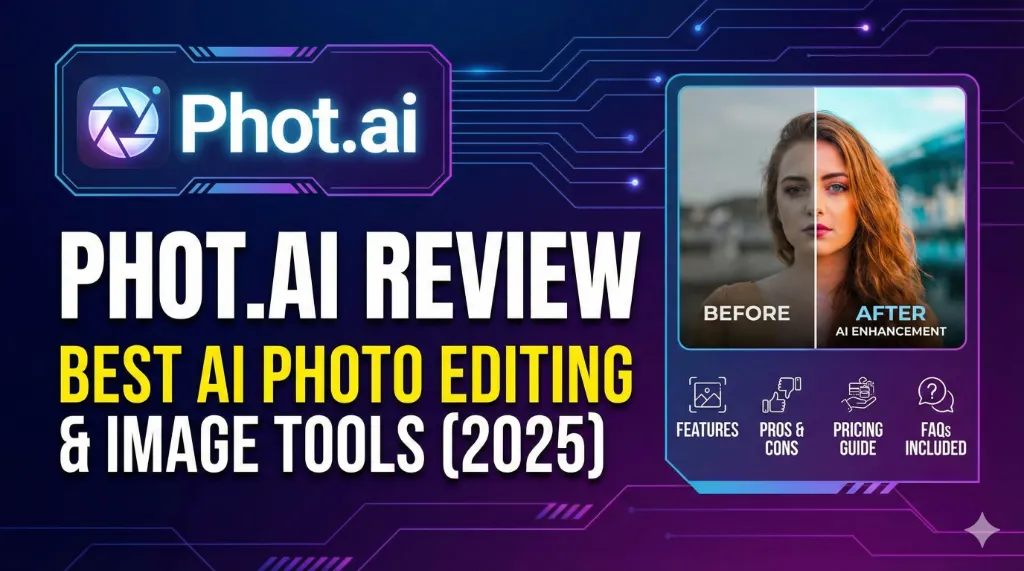
In a digital world where visuals drive engagement, AI-powered photo editing tools are becoming essential for creators, brands, designers, influencers, and everyday users. One platform that has recently grabbed massive attention is Phot.ai — a smart, powerful, and incredibly user-friendly AI image editing solution.
What is Phot.ai & Why is Everyone Talking About It?
Whether you want to transform images, remove backgrounds, create AI avatars, enhance portraits, or generate stunning visuals for business, Phot.ai promises to simplify your creative workflow with just a few clicks.
In this blog, I’ll share a complete, expert-level review of Phot.ai along with its features, use cases, pros, cons, and FAQs — crafted using 10+ years of SEO and content writing expertise.
Phot.ai is an AI-powered photo editing, enhancement, and image generation platform designed for creators and businesses who want high-quality visuals without complex design tools. It offers features like background removal, generative fill, AI portraits, retouching, image expansion, avatar creation, and more. It is ideal for online sellers, marketers, influencers, and designers.
What is Phot.ai?
Phot.ai is an advanced artificial intelligence platform that allows users to edit, enhance, and generate images effortlessly. It removes the need for heavy tools like Photoshop while delivering professional-level results.
The tool helps users to:
- Create AI-generated images
- Enhance and upscale low-quality photos
- Retouch portraits
- Remove or replace backgrounds
- Create product mockups
- Generate avatars
- Apply filters and transformations
Phot.ai is designed for both beginners and professionals, making editing fast, accurate, and visually stunning.
Top Features of Phot.ai (Complete Breakdown)
1. AI Background Removal
Remove messy or unwanted backgrounds instantly — perfect for ecommerce, product shoots, and profile photos.
- One-click removal
- High precision
- Clean, transparent background
- Great for Amazon, Myntra, Meesho, Shopify listings
2. AI Image Generator
Turn text prompts into stunning visuals.
Whether you’re designing posters, marketing banners, or YouTube thumbnails, the AI generator works beautifully.
- Choose from multiple styles
- Customize colors, structure, mood
- Perfect for digital creators
3. AI Photo Enhancer
Enhance old or blurry images with advanced upscaling.
- Improves clarity
- Recovers lost details
- Sharper facial features
- Excellent for photographers and studios
4. AI Avatar Maker
Create realistic or stylized avatars for branding, gaming, or social media.
- Professional-quality avatars
- Multiple poses and styles
- Great for LinkedIn, YouTube, personal branding
5. Retouching & Beauty Enhancement
Ideal for influencers, photographers, and makeup artists.
- Remove blemishes
- Smooth skin
- Adjust lighting
- Fix colors
- Create Instagram-worthy portraits
6. Generative Fill & Object Removal
Erase unwanted objects or fill empty areas seamlessly.
- Remove strangers from photos
- Extend background
- Replace sky, furniture, or details
7. Product Studio Tools
Essential for ecommerce brands.
- Product-only mockups
- Studio-style backgrounds
- Shadow & light adjustment
- Lifestyle scenes
8. Filters, Effects & Transformations
Apply aesthetic looks to match your style.
- Vintage
- Cinematic
- Modern
- Pastel
- Studio lighting
Who Should Use Phot.ai?
Phot.ai is perfect for:
1. Content Creators & Influencers
- Instagram photos
- YouTube thumbnails
- Reels cover images
2. Ecommerce Sellers
- Amazon, Flipkart, Shopify product listings
- Lifestyle product mockups
3. Designers & Agencies
- Client projects
- Branding visuals
- Ad creatives
4. Photographers
- Retouching
- Enhancing old photos
- Background correction
5. Casual Users
- Personal portraits
- Travel photos
- Social media posts
Pros & Cons of Phot.ai
Pros
- Extremely easy to use
- Professional-quality results
- Fast processing
- Multiple AI-powered tools in one place
- Saves time & effort
- Affordable compared to other AI design tools
- Great for creators, brands & ecommerce
Cons
- Free version has limited features
- Some results require multiple attempts
- High-resolution exports may require credits
- Internet connection is necessary
Why Phot.ai is a Game Changer
Phot.ai stands out because it simplifies professional creative tasks that normally require hours of manual editing. Its AI-driven automation saves time and gives you polished, studio-like results in a few seconds.
For creators, marketers, and sellers who don’t have the skills or budget for heavy editing software, Phot.ai provides a quick and effective solution.
Final Verdict: Is Phot.ai Worth Using in 2025?
Absolutely YES — Phot.ai is one of the most useful and advanced AI photo editing tools available today.
Whether you’re building a brand, selling products, posting daily content, or enhancing old images, Phot.ai delivers:
- Speed
- Quality
- Creativity
- Versatility
If you want a powerful yet user-friendly photo editing tool, Phot.ai is definitely worth trying.
Frequently Asked Questions (FAQs)
1. Is Phot.ai free to use?
Yes, Phot.ai offers free tools, but some advanced features and high-resolution exports require credits or a paid plan.
2. Can beginners use Phot.ai easily?
Absolutely! The platform is designed for beginners. No editing skills are required.
3. Are Phot.ai results good for commercial use?
Yes, you can use the edited images for ecommerce listings, social media marketing, branding, and client projects.
4. Is Phot.ai better than Photoshop?
Phot.ai is faster and easier, while Photoshop offers deeper manual control. For quick edits, Phot.ai is a great alternative.
5. Does Phot.ai work on mobile?
Yes, it is accessible via mobile browser and works smoothly on smartphones.